
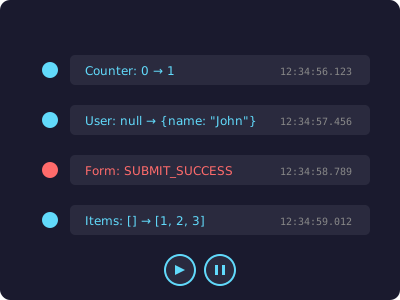
📜 State Timeline
Track every state change chronologically. See before/after values, timestamps, and component sources.
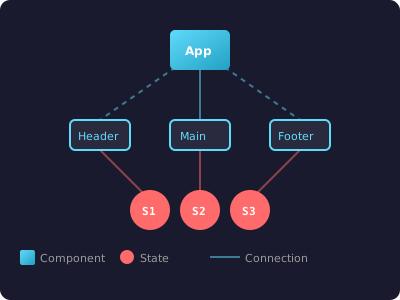
🔗 Dependency Graph
Visualize component-state relationships. Understand your app's data flow at a glance.
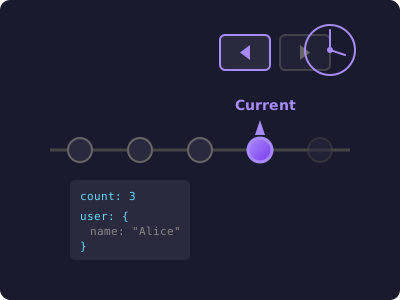
⏪ Time-Travel
Step backward and forward through state history. Reproduce bugs by replaying exact sequences.
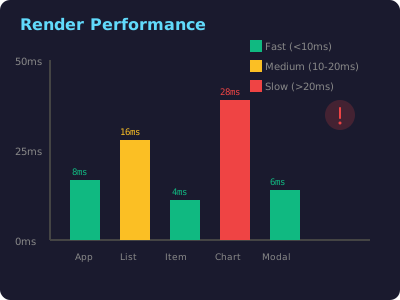
⚡ Performance
Identify slow renders and bottlenecks. Get detailed metrics on render counts and durations.
Zero Configuration
Get started in seconds with a single import. No complex setup required.
import 'react-dev-debugger/dev';That's it! The debugger panel appears automatically.
TypeScript First
Written in TypeScript with full type safety. No additional @types packages needed.
const [count, setCount] =
  useTrackedState(0, 'counter');
Drop-in replacements for useState and useReducer.
Works With Your Stack
Built-in adapters for popular state management libraries
Interactive Demo
Try the examples below and watch state changes tracked in real-time
Counter State
Object State
Array State (Todos)
useReducer (Shopping Cart)
Async State
Boolean States
Nested Object State
Form State
useTrackedContext (Context API)
useWhyDidYouUpdate (Re-render Analysis)
Change counter or user fields above to see what caused re-renders
useRenderTracking (Performance)
This component has rendered 0 times
Tracks component lifecycle and performance metrics
useComponentId (Component Identity)
Each component instance gets a unique identifier
Useful for tracking component instances in the dependency graph
Deep Diff (State Comparison)
Shows what changed between state updates:
Time Travel (State History)
View state timeline on the right →
In production, you can jump to any previous state snapshot
🐛 State Timeline
No state changes yet
Interact with the examples above to see state updates here
Ready to Debug Smarter?
Install React Dev Debugger and start tracking state in under a minute